Article's Content
Article's Content
Marketing teams are under pressure. In 2024, U.S. companies spent just 7.7% of revenue on marketing, even as demands for personalization and ROI kept rising.
Meanwhile, about 68% of enterprise data goes unused, leaving teams with both fewer resources and untapped potential.
Budgets are recovering, but the gap between expectations and resources still leaves many marketers struggling, while competitors that close it move ahead.
AI campaigns help bridge that gap. They cut manual work by spotting patterns in data, drafting copy, and testing variations at scale.
That means stronger content, personalization, and ROI, the levers marketers need to hit pipeline targets, outperform rivals, and prove value to leadership.
In this article, you’ll learn how AI can power your campaigns step by step, plus how it fits into channels like e-commerce, social, email, and SEO.
So What Exactly Is An AI Marketing Campaign?
An AI marketing campaign is a coordinated, multi-channel initiative where AI systems help decide who to reach, what to say, when/where to deliver it, and how to optimize, using your data and goals while a human marketer sets strategy and guardrails.
It’s not a single tool. In practice, it’s a stack of AI-powered platforms, CRM, analytics, content, ads, and email working together.
Each tool plays a role, but the marketer still defines the strategy, reviews outputs, and connects the dots from one step to the next.
Here’s what that usually looks like in practice:
- Inputs: Data flows in from your CRM, website, email platform, ad accounts, or product analytics. This can be through integrations if the tools connect natively, or by exporting/importing files if they don’t.
- Predictions: A predictive model uses that data to estimate outcomes like likelihood to open, click, buy, churn, or upgrade.
- Segmentation: Based on those predictions, the system suggests audience groups. You review and refine these before launching.
- Creative: Generative AI tools can draft copy, headlines, or subject lines — but they need human review to stay on-brand.
- Orchestration: Campaign tools can set send times, budget allocations, and suppression rules, but you’ll still need to monitor and iterate.
So while AI can automate segment building, creative drafts, testing, and budget adjustments, it doesn’t eliminate the marketer’s role.
Think of it as an assistant that speeds up the heavy lifting, while you provide the judgment, storytelling, and guardrails..
AI Marketing Campaign Example
Let’s say you run a software company and you want more people to sign up for trials. Traditional campaigns move slowly, so you decide to try an AI tool to speed up signups.
What do you need to provide?
- Previous customer and trial records
- Recent site behavior and product events
- Firmographic details and account tier
- High and medium intent labels from your rules or model
- Past ad results and email engagement
- Your goals and budget for this month
You connect your data and let the system do the heavy lifting, then you review before launching.
What does the AI give you?
- Clean audience segments and similar audiences to target
- Creative options for ads, short video scripts, headlines, and email copy
- A channel plan that shows where to run and how much to spend
- Personalized send-time recommendations, often at the individual level, based on past engagement patterns.
- Suppression rules to prevent fatigue and protect ongoing sales conversations
- A measurement plan with a control group and clear success metrics
The ads reach people who look like your best buyers on the selected platforms. New signups enter a short email sequence with product tips and a prompt to book a demo.
As results come in, the system shifts budget toward the sources that bring qualified demos and swaps out weak creative.
You supply clean history and clear goals. It returns targeting, messages, timing, and follow up that lift trials and set up paid conversions.
AI Marketing Campaigns vs Traditional Campaigns
The table below shows the core differences between AI marketing campaigns and traditional campaigns.
Human oversight is still required for strategy, brand standards, and guardrails, but many routine tasks, such as segment building, variant testing, and budget shifts are handled automatically by the AI, which reduces waste and improves consistency.
| ASPECT | TRADITIONAL CAMPAIGNS | AI-POWERED CAMPAIGNS |
| Data Utilization | Basic lists and simple rules-based segmentation | CRM integration with product events and predictive model scores |
| Audience Targeting | Static, predefined segments with manual updates | Dynamic segments with lookalike audiences and real-time adjustments |
| Creative Development | Manual creation with limited A/B test variants | Automated generation with hundreds of personalized variants |
| Campaign Timing | Fixed schedules based on assumptions | Optimized send times based on individual user activity patterns |
| Budget Allocation | Preset budget splits across channels | Dynamic reallocation toward highest-performing sources |
| Performance Measurement | Basic metrics: clicks, impressions, last-click attribution | Advanced lift studies with control groups and cost per qualified lead |
| Optimization Speed | Manual updates requiring days or weeks | Near real-time adjustments and continuous optimization |
| Human Role | Hands-on execution of all campaign elements | Strategic oversight, brand governance, and performance review |
What Technologies Can You Use In AI Marketing Campaigns?
In a working campaign, you combine a small set of tools that do distinct jobs.
One tool finds patterns in customer data. Another writes and assembles messages. A third decides timing and spending. Together, they pick the right people, show the right creatives, and let you measure whether the AI actually improves results by comparing it to a control group.
Some of the technologies we use in AI marketing campaigns are described below:
Generative AI
- What it does: Creates first drafts of copy, subject lines, ad text, product blurbs, images, and even short scripts.
- How to use it: Give the tool a simple prompt (e.g., “Write a playful subject line for a spring sale email”). It returns multiple options. You edit, refine, and pick the best one.
- What you need to provide:
- Brand voice guidelines
- Examples of past campaigns that worked
- Your campaign offer or key message
- Example tools: Jasper, ChatGPT, Copy.ai, MidJourney, DALL·E.
Predictive Analytics
- What it does: Scores leads or customers for likelihood to buy, churn, upgrade, or engage. Helps you focus efforts on the right people.
- How to use it: Connect your CRM or marketing automation platform. The tool analyzes historical data and labels customers (e.g., high intent, medium intent). You can then target these groups differently.
- What you need to provide:
- Past customer and trial records
- Behavioral data (e.g., site visits, email opens)
- Clear definitions of qualified leads or actions
- Example tools: Salesforce Einstein, HubSpot Predictive Lead Scoring, Adobe Analytics.
Dynamic Creative Optimization (DCO)
- What it does: Builds and delivers ad creatives on the fly, swapping headlines, images, or layouts depending on the viewer.
- How to use it: Upload your creative elements (e.g., images, text variations). The system tests combinations automatically and serves the version most likely to perform for each audience segment.
- What you need to provide:
- A set of images, headlines, and offers
- Audience data (from your ad platform or CRM)
- Clear campaign goals (clicks, conversions, demos booked)
- Example tools: Google Marketing Platform, The Trade Desk, Smartly.io, Celtra.
Programmatic Advertising
- What it does: Automates buying of digital ad space in real time, adjusting bids based on performance and audience match.
- How to use it: Upload audience data (e.g., email lists, site visitors). Set campaign goals and guardrails (budget caps, brand safety rules). The system bids on impressions and shifts spend toward the best-performing sources.
- What you need to provide:
- First-party customer or lead data
- Ad creatives (images, videos, copy)
- Clear budget and ROI targets
- Example tools: Google DV360, The Trade Desk, MediaMath.
Now that you’ve seen the main AI technologies marketers rely on. From generative copy tools to programmatic ad platforms, the next question is how to actually bring them together into a working campaign. That’s where a clear step-by-step process makes all the difference.
5 Easy Steps to Launch Your First AI Marketing Campaign
Launching an AI-powered campaign isn’t about finding a do-it-all tool, it’s about following a clear process. The good news is you can start small and build as you go.
In this section, we’ll walk through five practical steps: from choosing the right platform, to setting clear goals, connecting your data, creating assets, and finally launching and refining your campaign.
Step 1. Define Your Goal And Audience
Before you even think about tools, you need clarity on what you’re trying to achieve and who you’re targeting. Your goals will determine both your workflow and the deliverables you’ll need.
For example, your goal might be:
- Drive more trial signups → you’ll need landing pages, nurturing emails, and retargeting ads.
- Re-engage leads who’ve gone cold → you’ll need reactivation sequences, personalized offers, and chatbots.
- Reduce churn among existing customers → you’ll need usage data, in-app messages, and customer success emails.
Once the goal is set, define who you need to reach to make it happen:
- For trials → focus on recent pricing-page visitors.
- For re-engagement → focus on inactive leads who clicked an email in the past but never converted.
- For churn reduction → focus on active accounts showing drop-off in usage.
Why Does this matter: Until you know the goal and the audience, you can’t know what workflow, data, or assets will be required, and without that, choosing tools is just guesswork.
Step 2. Choose the right AI tools for your goals
Now that you know your goal and the deliverables needed to reach it, you can pick the tools that fit. Think of tools as filling specific roles in your workflow:
Choose the tools that fit those roles:
- All-in-one platforms (e.g., Salesforce, Adobe, HubSpot) for teams with bigger budgets and a need for predictive analytics + automation in one place.
- Specialist tools (e.g., Jasper for copy, Drift for chat, Mailchimp for email) for smaller teams that want to mix and match.
- Distribution platforms like Meta Ads or Google Ads will handle targeting and optimization on the paid side.
Example:
- If your goal is free trial signups, you might need:
-
- A CRM (HubSpot) to track visitors and segment leads.
- A copy tool (Jasper AI) to generate ad and email content.
- A distribution platform (Meta Ads) to target pricing-page visitors.
The point here is: the tools serve the workflow, not the other way around.
I’m using HubSpot Marketing Hub as the main tool here, because it’s accessible to mid-size teams, but you could swap it for Salesforce or Adobe if you’re enterprise, or Mailchimp if you’re budget-conscious. Jasper AI helps with content; Meta Ads handles distribution.

Step 3. Connect your data
Now that you know the goal and audience, wire in only the signals your workflow needs. You don’t need a data warehouse — just a clean “minimum data layer” that your tools can act on.
The Minimum data layer:
- Who they are → CRM data (contact info, lifecycle stage, company size, “Is customer?” flag).
- What they did → web or product events (e.g. “pricing page viewed,” “trial started”).
- How they engaged → email opens/clicks and ad interactions.
- Nice to have (adds precision later)
- Company size/industry, product plan, last seen date, last support ticket, last marketing touch
How to connect Data?
- CRM ↔ Website/App: add tracking + event capture (page views, sign-ups, usage).
- CRM ↔ Email: sync contact properties (e.g., “Is customer”) and engagement (opens/clicks).
- CRM ↔ Ads: many platforms let you sync audiences with Meta/Google so your segments (from Step 4) can be targeted directly, and performance can flow back.
If you’re on HubSpot (fastest path)
HubSpot can cover the “minimum data layer” without heavy setup. Focus on signals, not screens:
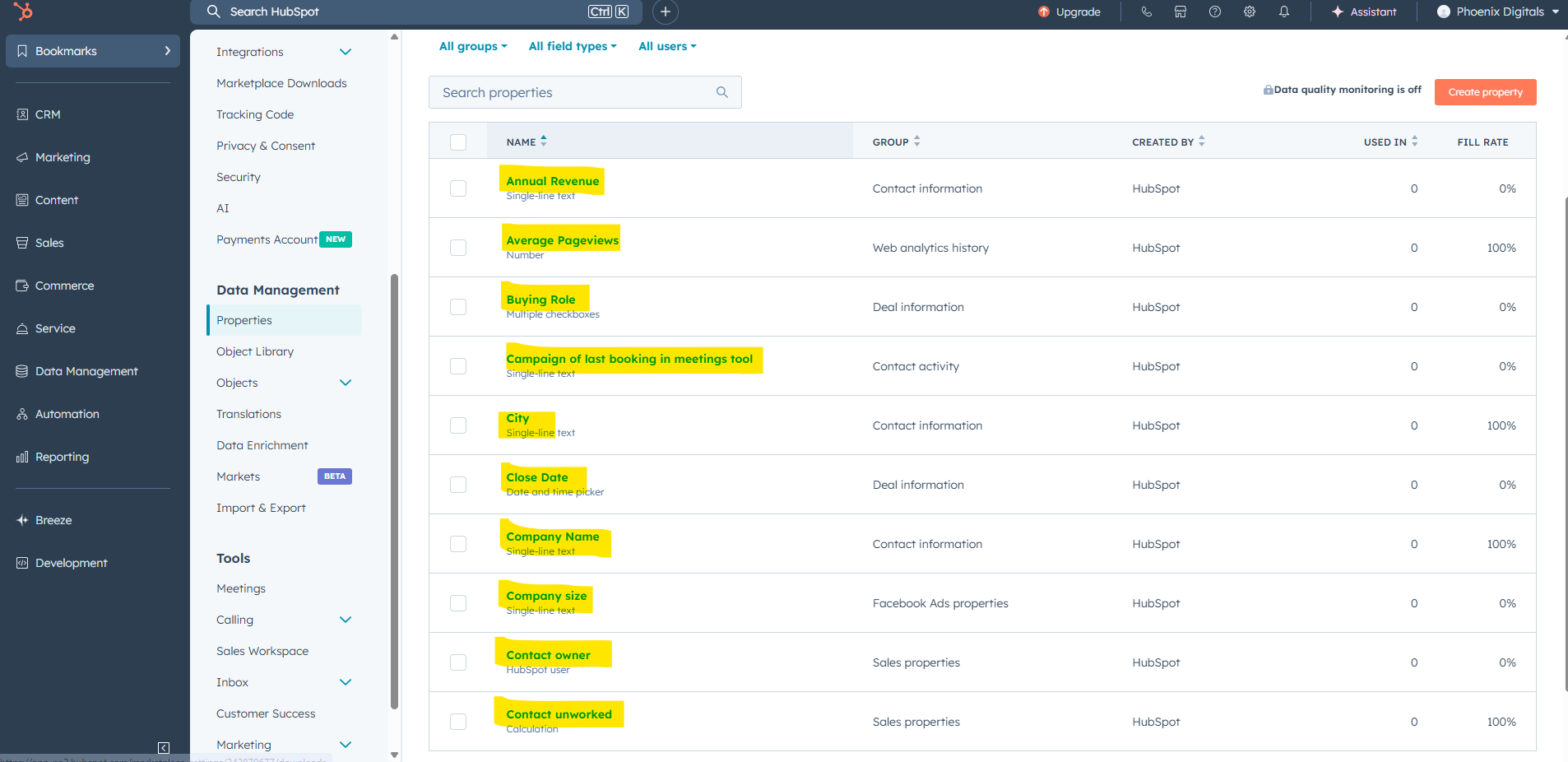
- Properties (Who they are): confirm core fields like Lifecycle stage, Company size, Industry, and Is customer?. Add optional signals such as Last Pricing View and Last Email Click if useful.
- Events (What they did): create a simple event for pricing page viewed (e.g., Page URL contains /pricing) so you can identify high-intent visits. (See Screenshot A.)
- Engagement (How they engaged): once email is connected, HubSpot will log opens/clicks automatically. If your email lives in another ESP (e.g., Mailchimp), install the connector/integration and map key fields (Email, First name, Is customer, Last Email Click).
- Ads sync: many platforms, including HubSpot, let you sync CRM segments to Meta/Google and pull back performance data. In HubSpot, once you’ve built segments (see Step 4), you can push those audiences to ads.

You’re “data-ready” when the three buckets — who/what/how — flow into one profile and can be filtered by recency (e.g., “pricing view in last 30 days,” “email click in last 7 days”). You’ll use these filters in Step 4 to define and activate intent-based segments.
HubSpot handles most of this natively. You just need to make sure the right properties and events exist:
Step 4. Score, segment and build assets
Turn raw signals into audiences and messages your tools can act on.
A. Define segments by intent (example logic)
- High Intent (example definition):
- Viewed pricing in ≤ 30 days AND clicked an email in ≤ 7 days AND Is customer = No
- Medium Intent:
- Viewed pricing in ≤ 30 days OR clicked an email in ≤ 30 days (but not both)
- Low Intent:
- None of the above (site visits without key actions, cold leads)
Keep this platform-agnostic. Whatever tool you use, recreate the logic as filters or rules.
B. Apply lead scoring (automated or manual)
- Suggested weights: +50 pricing view, +25 email click, +40 trial start, −20 customer = yes.
- If your tool lacks scoring, use rule-based lists (e.g., High Intent = pricing + click) as a proxy.
C. Expand with lookalikes (when ready)
- Use High Intent as the seed audience for paid platforms that support lookalikes/similar audiences.
- Cap expansion size early to protect CAC.
D. Build assets with AI + brand guardrails
- Copy (use your favorite AI tool): generate subject lines, ad headlines, and body variants tied to segment intent (e.g., trials → urgency + value proof; re-engagement → “pick up where you left off”).
- Prompt idea: “Give me 10 ad headlines for a 14-day free trial. Audience: pricing-page visitors. Tone: confident, concise, no hype.”
- Visuals: design variations (layout, hierarchy). If using AI image tools, specify brand cues (palette, typography/feel) and required elements (logo, CTA).
- Testing plan: at least 3 copy variants × 2 visuals per segment.
E. Guardrails (prevent fatigue and misfires)
- Frequency caps: email 1–2/week; ads 3–5 impressions/day/person (adjust by performance).
- Suppressions: exclude customers, open opportunities, and recent unsubscribers.
- Compliance: honor consent preferences; include clear opt-outs.
Step 5. Launch, monitor and refine
You’ve got segments and assets. Now it’s time to run the campaign, prove it works, and iterate.
1. Launch a small pilot.
- Scope: 1–2 segments (start with High Intent), a modest budget, and a clear conversion (trial, demo, purchase).
- Control group: withhold ~10% of the same segment from the AI-powered sequence to measure uplift.
- Success criteria: pre-define target CAC, cost per trial/demo, lift vs. control.
- the AI‑powered sequence. This lets you compare performance and measure true lift.
2. Monitor daily, adjust weekly.
- Daily: sanity checks (spend pacing, broken links, deliverability, ad rejections).
- Weekly: move budget toward best audiences/creatives; rotate in 1–2 new variants; adjust caps if fatigue appears.
- Bi-weekly/monthly: evaluate conversion and CAC vs. control; decide scale / hold / stop.
3. Metrics that matter.
- Top-funnel: CTR, CPC, reach, frequency (watch fatigue).
- Mid-funnel: trial/demo rate, qualified lead rate, cost per trial/demo.
- Bottom-funnel: conversion to paid, payback period, incremental lift vs. control.
4. Close the loop (teach the model)
- Write outcomes back to your system of record: trial started, demo booked, converted, churned, no-engage.
- Use outcomes to update scoring weights and tighten segment definitions (e.g., a specific feature view predicts conversion — add points).
- Archive learnings: winning messages by segment, losing angles to avoid, optimal caps.
The goal isn’t just to “run a campaign.” It’s to prove that the AI‑driven approach outperforms business as usual, and to keep iterating until you see sustained lift.
AI in Specific Marketing Areas
AI’s influence spans across all marketing channels and disciplines. Let’s break down a few specific areas of marketing to see how AI is making an impact in each:
E-commerce
When you see “You might also like…” in a store, that’s AI comparing a shopper’s behaviour to patterns across many others.
The same AI “jobs” also power price changes, which ad or email to show, and even which image variant appears on a page.
Here are some of the most useful AI tools for ecommerce and what they can do for you:
- Product recommendations: Add an AI recommendation engine (many ecommerce platforms like Shopify and WooCommerce have plugins). It will suggest “related items” or “you might also like” products based on each shopper’s browsing and buying history. Examples include Algolia, Luigi’s Box, and Nosto.
- Dynamic pricing: Use AI pricing tools to adjust product prices automatically depending on demand, seasonality, or stock levels. This keeps you competitive without you changing prices by hand. Examples include Prisync, Competera, and Omnia.
- Inventory planning: Predictive models can forecast which products are likely to sell next month and in what volume. You can use that to order the right amount of stock and reduce dead inventory. Examples include Inventory Planner, Netstock, and Lokad.
- Customer service automation: Deploy AI chatbots on your site or app to handle routine requests like order status, return policies, or FAQs, leaving your support team to focus on complex cases.Examples include Intercom, Drift, and Ada.
With these tools in place, your ecommerce campaigns become more efficient: customers see items that matter to them, prices adapt to the market, and your team spends less time on repetitive tasks.
Social Media
Social platforms move fast. Blink, and the trend your team just jumped on is already old news. That’s why AI is such a game-changer: it helps you keep pace without burning out your marketing team.
Take posting times for example. Instead of following cookie-cutter advice like “Tuesdays at 11am,” AI tools look at your audience’s patterns when they scroll, when they actually engage, and schedule accordingly.
It’s not theory, it’s math based on your followers’ real behavior.
Content is the other side of the coin. Tools like Sprout Social and Buffer can surface what’s trending with your audience. Maybe your customers are engaging more with behind-the-scenes reels than polished product shots. That’s data you can act on immediately.

Here’s where AI tools add real leverage for social teams (and personalize at scale):
- Content ideas & drafts: Generate quick post variations, captions, or even images so you’re never stuck staring at a blank calendar.(Distribution.ai, Sprout Social AI)
- Smart scheduling: Let AI queue posts at the exact times your audience is most active. (Sprout Social, Buffer/Later)
- Social listening: Track mentions and sentiment across millions of posts — so you catch complaints or viral opportunities early. (Brandwatch Iris, Talkwalker)
- Moderation & replies: Auto-filter spam, flag risky comments, and handle simple DMs without needing someone glued to the inbox 24/7.(BrandBastion)
- Ad targeting: Sharpen who sees your paid posts by letting AI find the people most likely to click, comment, or buy. (Meta Advantage+ Audience)
Email Marketing
Think about the last time you opened a promo email that actually felt like it was written for you. Maybe it featured the exact product you’d been eyeing or landed in your inbox right when you usually check.
That wasn’t luck, that’s AI quietly running the show.
McKinsey’s research shows personalized campaigns deliver 5–8x more ROI than generic blasts, and AI is how brands scale that personalization.
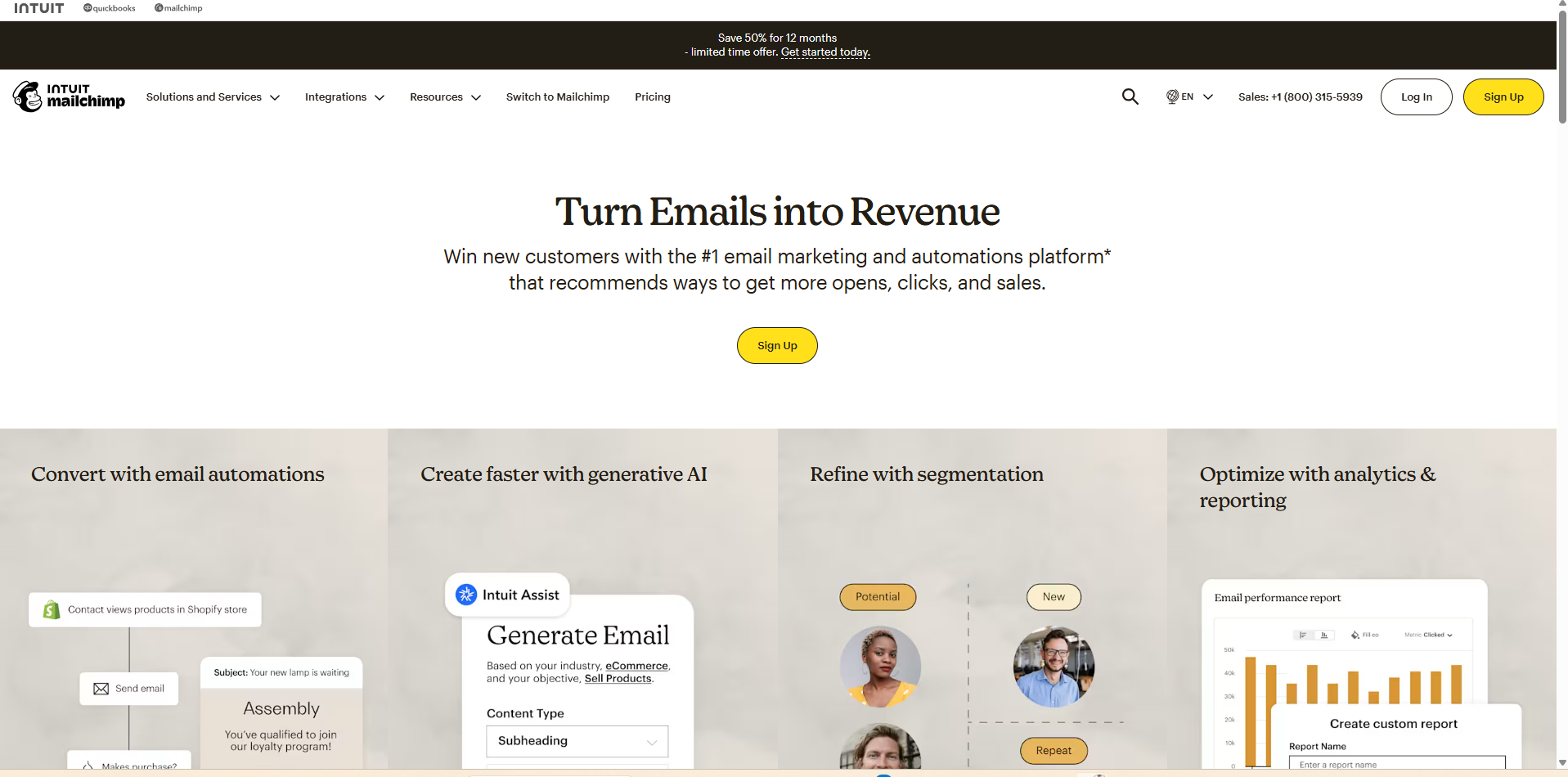
Tools like mailchimp, salesforce, brevo, etc analyze browsing history, purchase patterns, even color preferences, and swap in subject lines, product picks, or greetings that make sense for each subscriber.
But it’s not just the content, it’s the timing. Instead of pushing “send” at 9 a.m. sharp to your whole list, AI looks at when each subscriber tends to open and staggers delivery. For one person, that might be on their commute. For another, right before bed.
Here’s where email teams see the biggest lift:
- Subject line testing: Run small-batch A/B tests automatically and roll out the winner.
- Re-engagement: Trigger win-back offers when subscribers start ghosting your emails.
- Deliverability: Catch spammy words before they tank your inbox placement.
The result isn’t “smarter email” in theory, it’s more opens, more clicks, and a list that stays alive longer. In a channel already known for high ROI, that edge compounds fast.
Search Engine Optimization (SEO)
In a campaign plan, SEO is your compounding channel: it attracts net-new demand and lifts conversion on every other touchpoint (ads, email, chat).
AI makes SEO campaign-ready by shortening the path from theme → brief → publish → optimize, and by tying work to outcomes like qualified traffic, trial sign-ups, and pipeline.

Most useful AI functions (with tool examples):
- Topic & keyword discovery (campaign themes): Find intent-led topics and cluster them into sprints. (Ahrefs, Semrush, AlsoAsked)
- Briefs & on-page optimization (fast, consistent pages): Build AI briefs, coverage checklists, and entity suggestions you can edit into brand voice. (Clearscope, Surfer, MarketMuse)
- Content drafting (first 60%, you finish): Generate outlines, intros, meta, and variations for CTAs—then human edit. (Jasper, Writer, ChatGPT)
- Entity/schema enrichment (richer results): Add structured data and entities for better understanding and eligibility for rich snippets. (WordLift, Schema App, Yoast/Rank Math)
- Internal linking & clustering (campaign scaffolding): Auto-surface link targets to reinforce your cluster and push authority to money pages. (Surfer Grow Flow, MarketMuse, Link Whisper)
- Technical audits & monitoring (no surprises): Crawl, flag issues, and alert on breaking changes during the campaign window. (Screaming Frog, Sitebulb, ContentKing)
Case Studies Of Successful AI Marketing Campaigns
Here are three campaigns that show how AI can move the needle in practice, across very different industries.
Netflix’s AI recommendation engine
Netflix’s recommendation engine is responsible for more than 80% of what people actually watch on the platform.
Here’s how it works: AI models analyze every interaction, what you click, how long you watch, what you abandon, and then serve up personalized suggestions that keep you engaged.
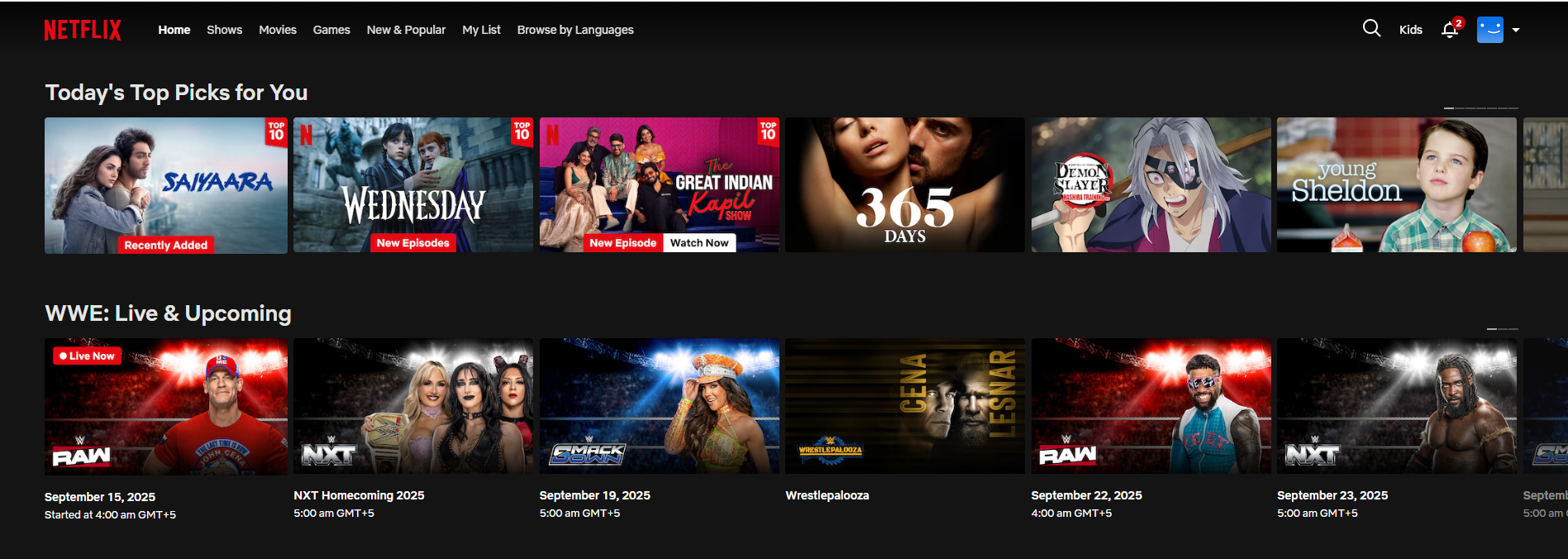
This isn’t just about “you might also like.” Netflix constantly runs experiments on artwork thumbnails, genre tags, and even the order of shows in your feed to maximize the chance you’ll press play.
The business impact is massive. By reducing churn and increasing watch time, Netflix saves an estimated $1 billion a year in lost subscription revenue.
For marketers, the takeaway is clear: personalization isn’t fluff. When AI makes recommendations feel human, it drives both engagement and retention.
Ralph Lauren’s AI Stylist
Ralph Lauren built Ask Ralph, a conversational AI that acts like a personal stylist.
Instead of scrolling through endless products, shoppers describe what they’re looking for. For example, a shopper might enter“a casual outfit for a weekend trip” and the Ask Raph AI recommends clothing directly from Ralph Lauren’s catalog.
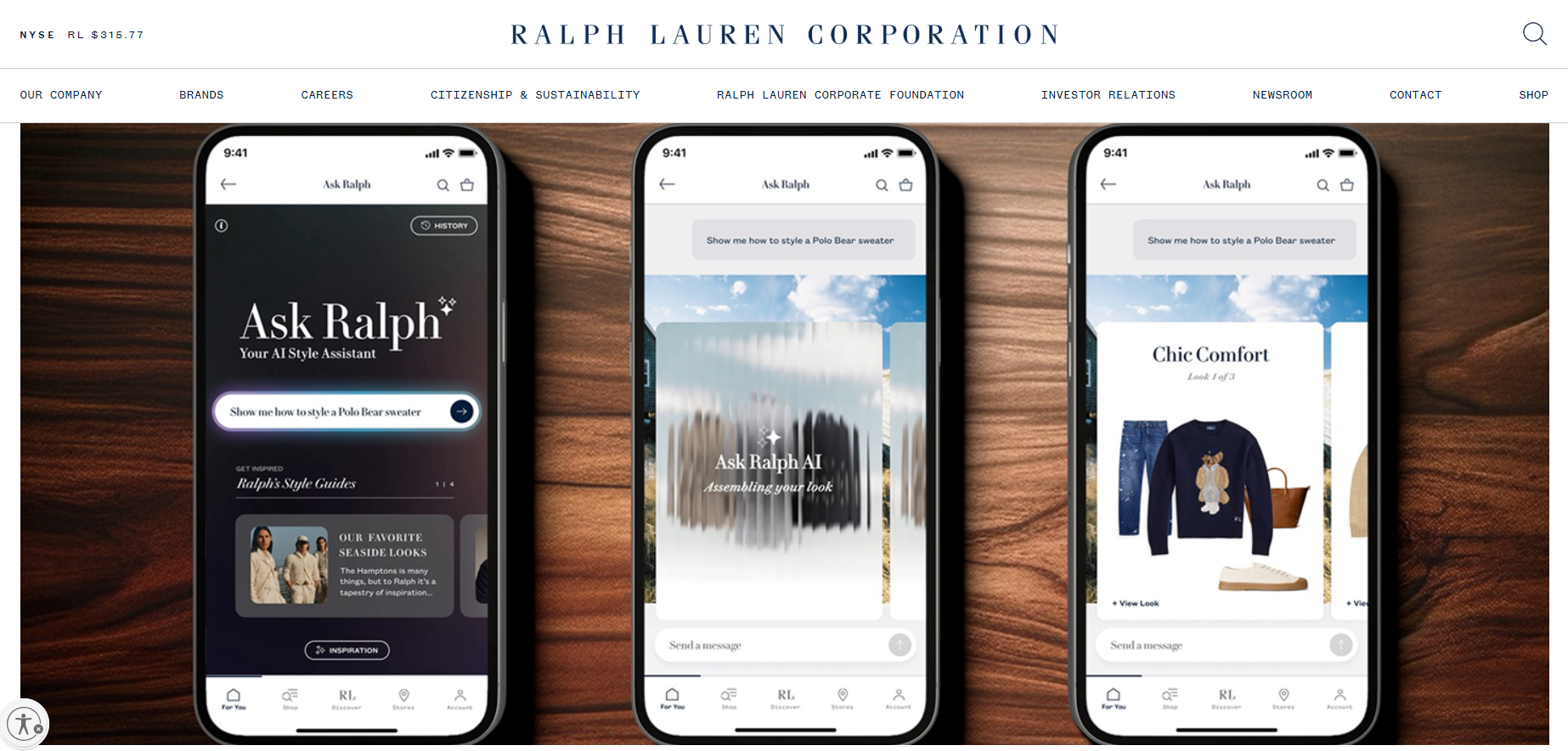
The system isn’t just guessing. It’s trained on years of brand imagery, editorial campaigns, and product metadata. That means the recommendations feel consistent with Ralph Lauren’s style, not random marketplace results.
For marketers, this shows how AI can collapse the gap between intent and purchase. By acting as a brand-native assistant, AI doesn’t just recommend clothes, it reinforces the identity of the brand itself.
Starbucks’ Predictive Personalization
Starbucks has over 30 million Rewards members, and its AI system personalizes offers for nearly all of them.
The algorithm analyzes purchase history, time of day, store location, and even local weather. That’s why a user might get an iced coffee promo on a hot afternoon, while someone else sees a breakfast sandwich deal before work.
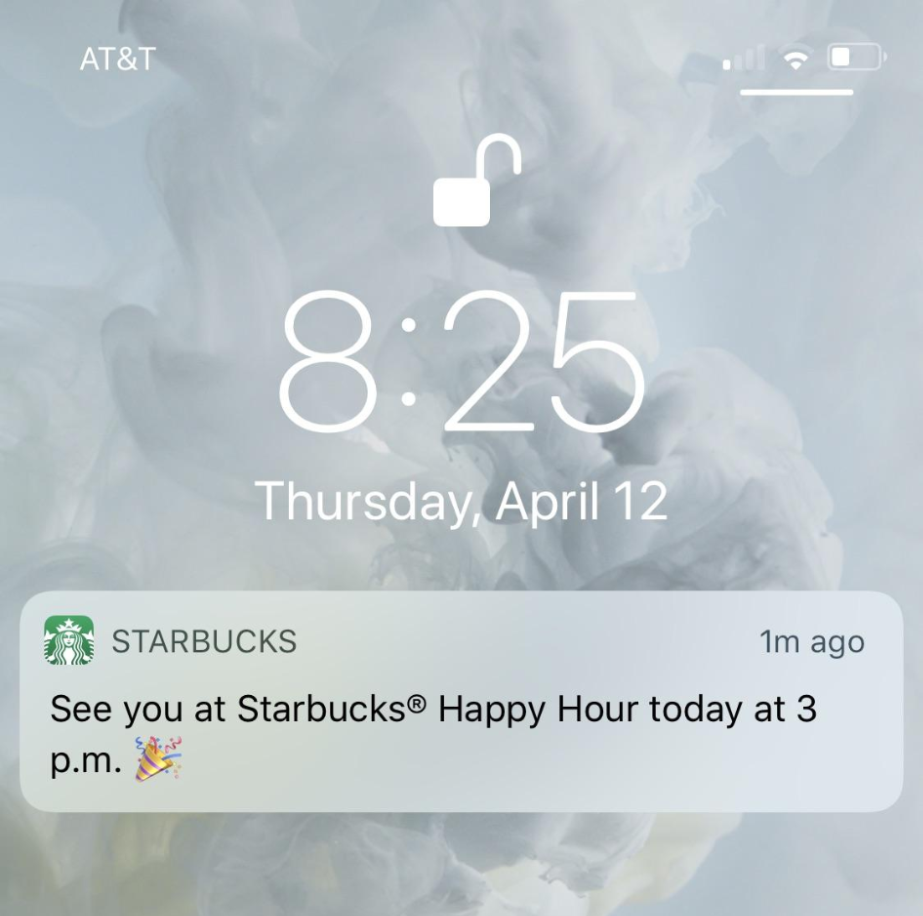
This isn’t static targeting. Starbucks runs thousands of micro-tests daily to optimize these offers.
The payoff is clear: the program generates 30% of company revenue, and average order value is higher when personalized offers are redeemed.
Frequently Asked Questions (FAQs)
Is AI Marketing Only For Big Companies With Big Budgets?
Not at all. While Netflix- or Nike-level campaigns grab headlines, most AI marketing tools today are built with SMBs in mind.
Many platforms like Mailchimp, HubSpot, and Shopify already have AI baked in, so smaller teams can plug into personalization, automation, and analytics without hiring data scientists.
Can AI Replace Human Creativity In Marketing?
No, and the best campaigns prove it. AI can surface insights, generate drafts, or speed up production, but the spark of storytelling, brand voice, and emotional connection still comes from people.
How Do Marketers Avoid The Risk Of Sounding “Too Robotic” When Using AI?
Think of AI as a co-pilot, not the driver. Always use AI to generate the first 50%, then refine with human judgment to keep the message authentic and avoid the “AI-ism” trap.
What Are The Ethical Concerns With AI In Marketing?
The biggest issues are transparency, data privacy, and bias. Brands should disclose when AI is generating content, use customer data responsibly, and test outputs to make sure recommendations or images don’t reinforce harmful stereotypes.
AI Marketing Campaigns: Turning Automation Into ROI
AI in marketing isn’t hype anymore as it’s infrastructure. From Netflix keeping viewers hooked, to Nike sparking emotion, to Heinz owning cultural moments, the best campaigns show that AI works when it amplifies creativity, not replaces it.
For marketers, the opportunity is twofold: automate the tasks that drain time (SEO audits, email send times, social scheduling) and double down on the work that drives brand and story.
AI isn’t the headline; it’s the backstage crew making sure your strategy shines brighter, faster, and at scale.
The marketers who thrive in this new era won’t be the ones chasing every shiny tool. They’ll be the ones who align AI with brand identity, use it responsibly, and measure its impact. Because at the end of the day, the tech is impressive, but it’s how you apply it that makes the campaign unforgettable.
If you’re looking to see how AI can fit into your own marketing engine, book a call with Foundation Marketing and talk with our experts about building smarter campaigns that drive results.